



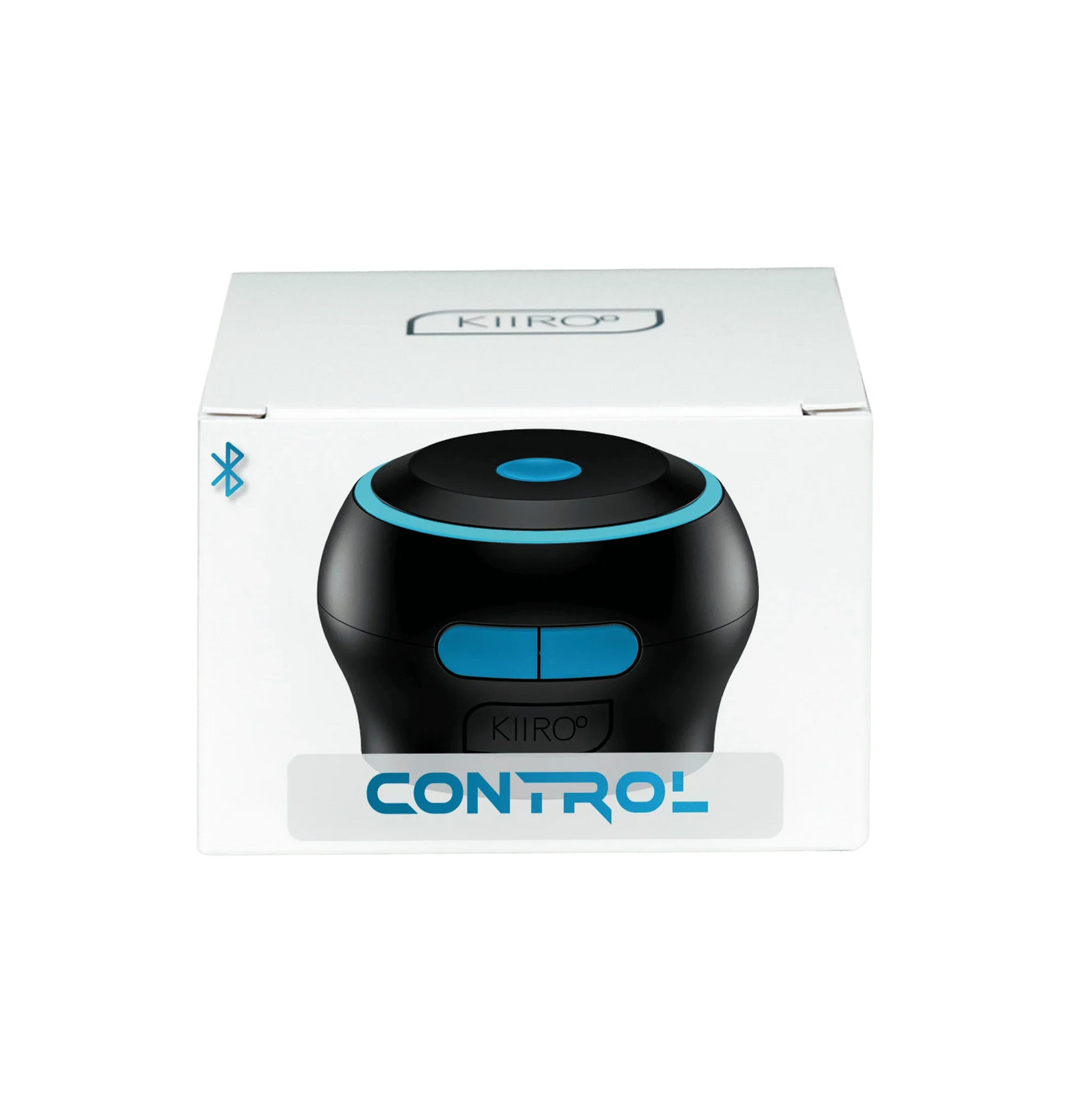


Kiiroo - Control Motion-Sensing Interactive Stroker Controller (Black)
$55.99
Need help choosing?
Ask us about product details, packaging or delivery before you order.
Ask us on WhatsAppDiscreet packaging. Choose home delivery or Locker Alliance with over 1,200 pickup points. Select your delivery option in the cart.
Product Description
Kiiroo Control is a compact motion-sensing controller that turns your hand movement into interactive commands. Move it faster, slower, higher or lower and the device translates that motion into real-time responses on a compatible partner toy, giving long-distance play a more direct and personal feel.
It also works with compatible interactive videos: your stroking motion can control playback and help keep the content aligned with your pace. When fitted to a compatible Kiiroo stroker or sleeve system, Control can serve as the grip for manual stroking while tracking the movement. The controller itself does not generate vibration, suction or automatic stroking; its role is to sense motion and communicate it.
The ABS housing measures approximately 69 mm at its widest point, 58 mm across the screw connection and 49 mm high. It pairs through the FeelConnect ecosystem and charges by USB-C in approximately one hour. Control is not waterproof, so sleeves and washable components must be detached before cleaning.
Why You’ll Love It
- Translates natural hand movement into real-time partner-device control.
- Controls compatible interactive video playback according to stroke motion.
- Works as a manual stroker grip with compatible Kiiroo sleeves and mounts.
- Compact motion sensor is easy to hold and reposition.
- FeelConnect connectivity supports local and long-distance interactive play.
- USB-C rechargeable with an approximately one-hour charge time.
How to Use
- Charge Control fully with a compatible USB-C cable before first use.
- Install or open FeelConnect and select the intended partner-toy or interactive-content mode.
- Attach Control securely to a compatible stroker sleeve or mount when using it as a stroker grip.
- Follow the on-screen pairing steps and confirm that the connected device responds before beginning.
- Start with slow, deliberate movements so you can learn how speed and stroke length are translated.
- End the session in the app, switch Control off and detach any sleeve before cleaning.
Cleaning and Care
- Control is not waterproof and must not be rinsed or submerged.
- Detach any sleeve or washable accessory and clean it separately according to its own instructions.
- Wipe the controller with a soft, lightly damp cloth, then dry it immediately.
- Keep the USB-C port dry and store the device without pressure on the screw connection.
Product Questions
Is it suitable for beginners?
Yes, if you are comfortable with a short app-pairing setup. Its movement-based control is intuitive, but most interactive functions require a compatible Kiiroo product or supported content.
Does Kiiroo Control vibrate or create suction by itself?
No. It is a motion-sensing controller and stroker grip. Sensation comes from the compatible sleeve or connected device used with it.
What can my hand movement control?
Depending on the selected FeelConnect mode, it can control a compatible partner device in real time or adjust the playback of supported interactive videos.
Specifications
Delivery & packaging
Your order is packed discreetly, with no product names or images on the outer packaging.
Choose home delivery or Locker Alliance with over 1,200 pickup points across Singapore. Available delivery dates, times and collection options are shown in your cart.
Is this right for me?
Choose for the way you want to use it. Check the size, material, controls and included accessories in the product details. For powered products, check charging and whether control is by buttons, a remote or an app.
Still unsure about fit, compatibility or care? Ask us about this product or read the buying guide.
Returning for a favourite? Find your previous order and check your Durio Rewards.